
Shared Inbox
Organise supported customer conversations in one cleaner workspace so teams can follow up with better context.
Shannon Radiant gives growing teams a premium workspace for customer conversations, omnichannel support workflows and authorised WhatsApp Business integration. Bring customer messages, catalog enquiries and team collaboration into a clearer, more professional workflow.
The homepage visual highlights how Shannon Radiant can present a more connected customer experience with unified messaging, product inquiry handling and guided support across multiple channels.
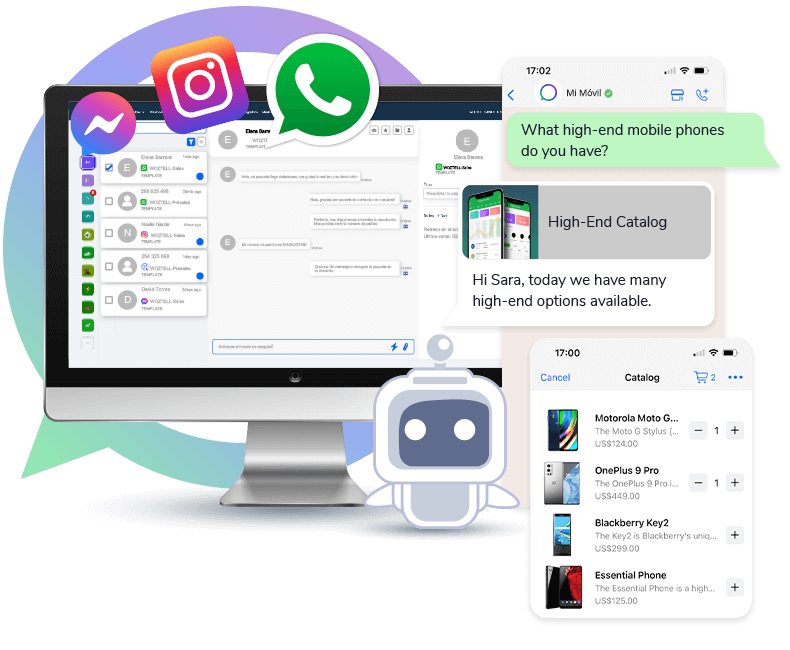
The V6 design presents Shannon Radiant as a polished product rather than a simple compliance site, while keeping all company and legal information easy to verify.
Organise supported customer conversations in one cleaner workspace so teams can follow up with better context.
Eligible businesses can connect and review authorised WhatsApp Business assets through the supported onboarding flow.
Keep relevant business contact information, notes and communication history organised for customer support.
Structure team follow-up, support tasks and operational communication with a more professional presentation.
Shannon Radiant brings supported customer conversations into one place so teams can respond with clearer ownership, useful context and less back-and-forth between tools.
See Support WorkflowKeep conversation context and business messaging information visible to the team. A clearer operating view helps reduce missed customer requests and makes handoffs easier to manage.
Explore WhatsApp Integration
Use a single business-facing workspace to organise messaging, integration context and customer support information.
When supported WhatsApp messaging is connected to a clear customer workflow, teams can maintain context, reply more consistently and reduce the risk of valuable conversations being lost.
Talk to Our Team
Shannon Radiant is designed around clear customer-facing workflows: connect authorised services, confirm the relevant business assets, then manage supported conversations in one organised interface.
Sign in with an authorised Shannon Radiant business account.
Start the supported Meta / WhatsApp authorisation and onboarding flow.
Confirm the connected business account, phone number and available integration details.
Use the workspace to support customer communication and team follow-up.
Reduce confusion by presenting supported customer messages, status and context in one place.
Guide eligible customers through supported authorisation and return them to a clear integration workspace.
Give business users a structured view of communication context and connected services.
Shannon Radiant keeps company identity, support contacts, privacy information and data deletion instructions visible on the public website.
Review the public integration page or continue to the application login.